
Asset management software vs spreadsheets: when is it actually worth switching?
Asset management software vs spreadsheets is not a question of sophistication. A spreadsheet is a perfectly good register right up to the point where more than one person needs to change it. Excel is a perfectly reasonable asset register until it is not. Here are the specific points at which it stops working, and the honest limits of what software fixes.
In this article
Asset management software vs spreadsheets: the short version
- Under 100 assets, one site, one maintainer: a spreadsheet is fine. Tag the assets and keep it.
- Spreadsheets fail at concurrent editing, multiple sites, transfer history and multi-category depreciation.
- The deciding question is usually whether anyone outside your organisation will ask you to prove an asset exists.
- Software does not fix bad data. Verification has to happen either way.
- Our system is a one-time KSh 120,000 licence rather than a subscription, with CSV and PDF export on every report.
Spreadsheets are not the problem. Unverified spreadsheets are.
There is a genre of software marketing that treats Excel as an embarrassment. That is not our position. A spreadsheet is a reasonable asset register for a small organisation, it costs nothing, and everyone already knows how to use one.
The problem is not the format. It is that a spreadsheet has no way of telling you when it has stopped being true.
A register drifts through ordinary events, not catastrophes. A laptop is reassigned and nobody updates the custodian column. A printer is disposed of and the row stays. Somebody takes a copy to work on offline and the copy becomes the version that gets edited. Six months later there are two files, both plausible, and no way to tell which one is right.
Software does not solve this by being cleverer. It solves it by making the register the only place the answer lives, and by tying each row to a physical tag you can scan.
Where a spreadsheet is genuinely fine
Be honest about this before spending anything. A spreadsheet holds up when:
- You have fewer than about 100 assets.
- They are in one location.
- One person maintains the file and everyone knows who that is.
- Assets rarely move between people or departments.
- You are not calculating depreciation across categories with different useful lives.
- Nobody outside the organisation has ever asked you to prove the register.
If that describes you, buying software is solving a problem you do not have yet. Tag the assets so the register is verifiable, keep the spreadsheet, and revisit when one of those conditions stops being true.
Where it stops working
When more than one person needs to edit it
Concurrent editing is where spreadsheets fail first. Shared cloud files help, but they do not stop two people making contradictory changes, and they do not tell you who changed what or why.
When you have multiple sites
Each branch ends up with its own file, its own conventions and its own idea of what an asset number looks like. Consolidating those at year end is a job somebody dreads.
When assets move
A transfer is not a data entry task, it is an event with a date, a from, a to and a reason. A spreadsheet stores the current value of a cell. It does not store the history, so you cannot answer where an asset was in March.
When depreciation gets real
Straight-line depreciation across a handful of items is a formula. Across hundreds of assets in different categories with different useful lives, acquired on different dates, some disposed of mid-year, it is a maintenance burden that quietly accumulates errors nobody catches until an auditor does.
When somebody asks you to prove it
This is the moment that decides it for most organisations. An auditor, an insurer or a donor asks you to demonstrate that a specific asset exists. A spreadsheet row is an assertion. A scannable tag that resolves to a register entry is evidence.
Side by side
| Spreadsheet | Asset management system | |
|---|---|---|
| Cost | Nothing you are not already paying | KSh 120,000 one-time, no monthly fee |
| Multiple users | Conflicts and duplicate versions | Unlimited accounts, one register |
| Physical verification | Read the row and hope | Scan the tag, the record opens |
| Transfer history | Overwritten | Logged with date, from, to and custodian |
| Depreciation | Manual formulas you maintain | Calculated, with schedules and quarterly summaries |
| Reporting | Whatever you build yourself | Twelve built-in report types, CSV or PDF |
| Audit trail | None | Recorded |
| Getting data out | Trivial | CSV and PDF export on every report |
| Learning curve | Everyone already knows it | An afternoon |
See the asset management system in action
Book a focused demonstration using your own workflow questions, including registers, custodians, transfers, audits and depreciation. Book an AMS demo →
What software does not fix
Worth saying plainly, because it is where projects disappoint.
It does not make bad data good. Importing an inaccurate spreadsheet into a system produces an inaccurate system, with better formatting. The verification has to happen either way. That is why we tag and verify before implementing, not after.
It does not maintain itself. If nobody logs transfers, the system goes stale in the same way the spreadsheet did. It is faster to keep current, not self-updating.
It does not replace a physical count. It makes one dramatically faster, because scanning a tag is quicker and more reliable than reading a serial number off the back of a machine and typing it. But somebody still walks the floor.
What ours actually does
Our asset management system runs the register, not the accounting. That distinction matters: it is built for the people who have to know where things are and what they are worth, not as a general ledger.
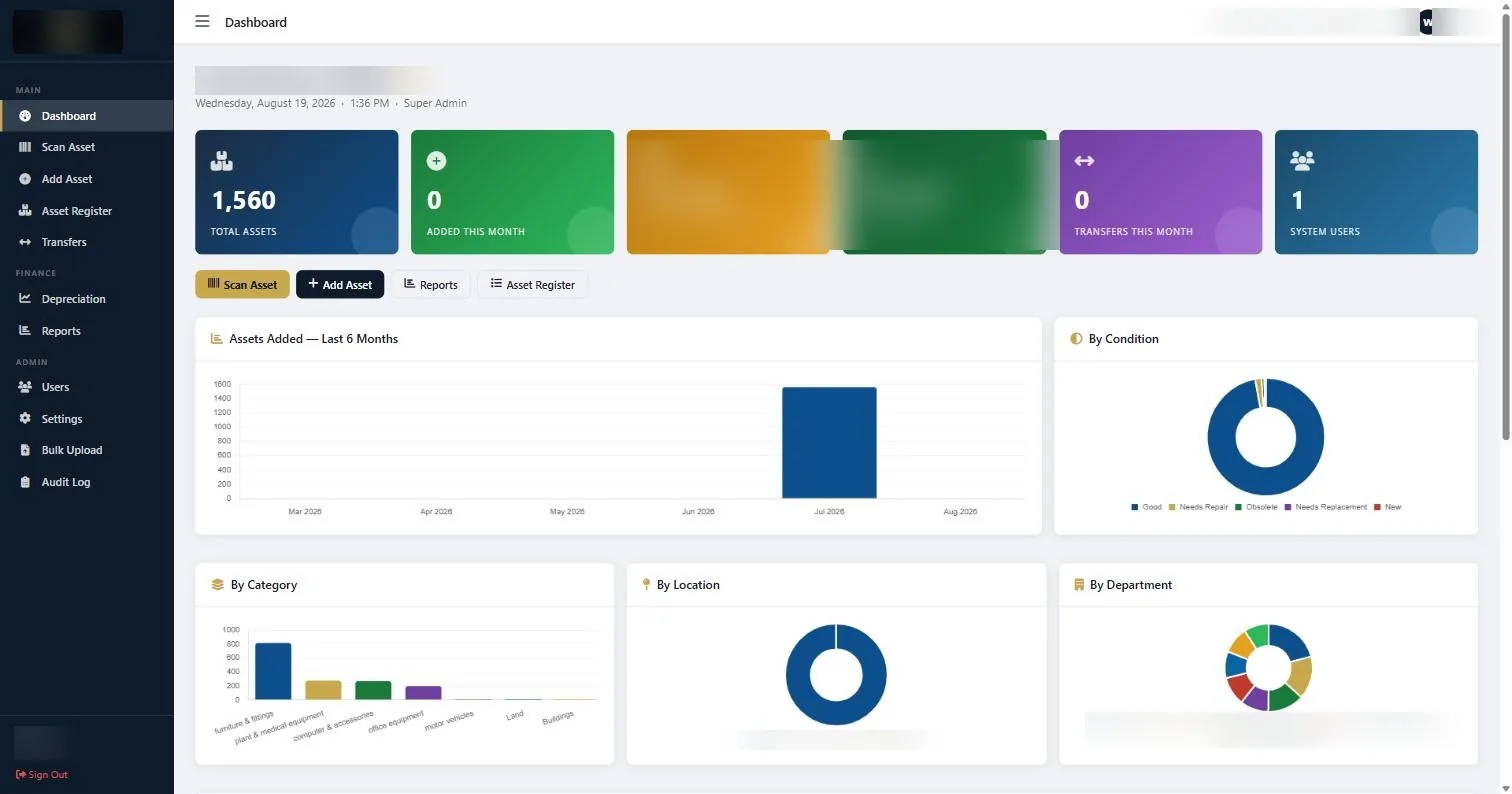
In practice that means an asset register with capture across nineteen fields, a Scan Asset screen that pulls up a record from a barcode reader, transfers logged between locations, departments and custodians, depreciation schedules including quarterly views, bulk upload for an existing register, unlimited staff accounts, and twelve report types that export to CSV or PDF.
It is a one-time KSh 120,000 licence. Over three years that comparison against a per-user monthly subscription is not close, which is the main reason we sell it that way.
How to decide
Ask three questions.
Can more than one person change the register? If yes, a spreadsheet is already costing you accuracy you cannot see.
Do assets move between people, departments or sites? If yes, you need transfer history, and a spreadsheet does not store history.
Will anyone outside the organisation ask you to prove an asset exists? If yes, you need tags and a register they resolve to, whatever software sits behind it.
Two or three yeses and the case is made. One yes and it is a judgement call. None and stay where you are, but tag the assets anyway so that when the answer changes you are not starting from scratch.
Common questions about asset management software vs spreadsheets
Is Excel good enough for a fixed asset register?
For under about 100 assets in one location maintained by one person, yes. It stops being adequate when multiple people edit it, when assets move between departments or sites, when depreciation spans several categories, or when someone outside the organisation asks you to prove the register is accurate.
Can I import my existing spreadsheet into your system?
Yes, through Bulk Upload. We would normally verify the register physically before importing, because importing inaccurate data produces an inaccurate system rather than fixing anything.
Is your asset management system a subscription?
No. It is a one-time licence of KSh 120,000 with unlimited staff accounts and no monthly fee. The KSh 120,000 one-time licence applies outside Kenya as well; any cross-border onboarding or travel is quoted separately.
Can I still export to Excel if I use the software?
Yes. Every report exports to CSV or PDF, so anything you want to work on in a spreadsheet is one click away. Using the system does not lock your data in.
Do I need asset tags if I have asset management software?
Yes, and this is the part people skip. Software without tags is still a list of assertions. The tag is what lets you walk up to a physical item, scan it, and confirm the record matches reality.
How long does it take to get up and running?
The software itself takes an afternoon to learn. The real timeline is the verification and tagging exercise that produces trustworthy data to put in it, and that depends on your asset count and number of sites.
If you are weighing asset management software vs spreadsheets, count the people who need to edit the register and the number of sites. Those two numbers decide it more reliably than any feature list.
Continue with the right next guide
See the asset management system in action
Book a focused demonstration using your own workflow questions, including registers, custodians, transfers, audits and depreciation.