
How to assign and change asset custodians
How you assign asset custodians decides whether anyone can be asked about a missing item, which is the difference between a register and a list. A custodian is the named person answerable for an asset. It is the field that turns a register from an inventory into an accountability record, and it is the field organisations most often leave blank. This guide covers how to assign custodians, how to keep them current, and what to do at handover.
Before you start
- Assets already in the register.
- An agreed policy on who counts as a custodian. Usually the person who physically uses or controls the asset, not their manager.
- Departments set up in Settings so the custodian sits inside a cost centre that finance recognises.
How to assign asset custodians, step by step
-
Decide your custodian policy before you assign anybody
Two models work and one does not.
Individual custody suits assets that one person uses: laptops, phones, tools, vehicles. The custodian is the user.
Departmental custody suits shared assets: a boardroom projector, a ward bed, a workshop bench. The custodian is a named person in the department, usually the head or the administrator, who is answerable for the shared pool.
The model that does not work is assigning custody to a role title with nobody’s name attached. When the asset goes missing, a role does not have a conversation with you.
-
Assign the custodian on the asset record
Open the asset from the Asset Register and edit it. Under Location and Assignment, set Custodian to the named person, and confirm that Department and Location are consistent with that person.
Those three fields should agree. A laptop with a custodian in Finance, a department of ICT, and a location of Warehouse is telling you three different stories, and at least two of them are wrong.
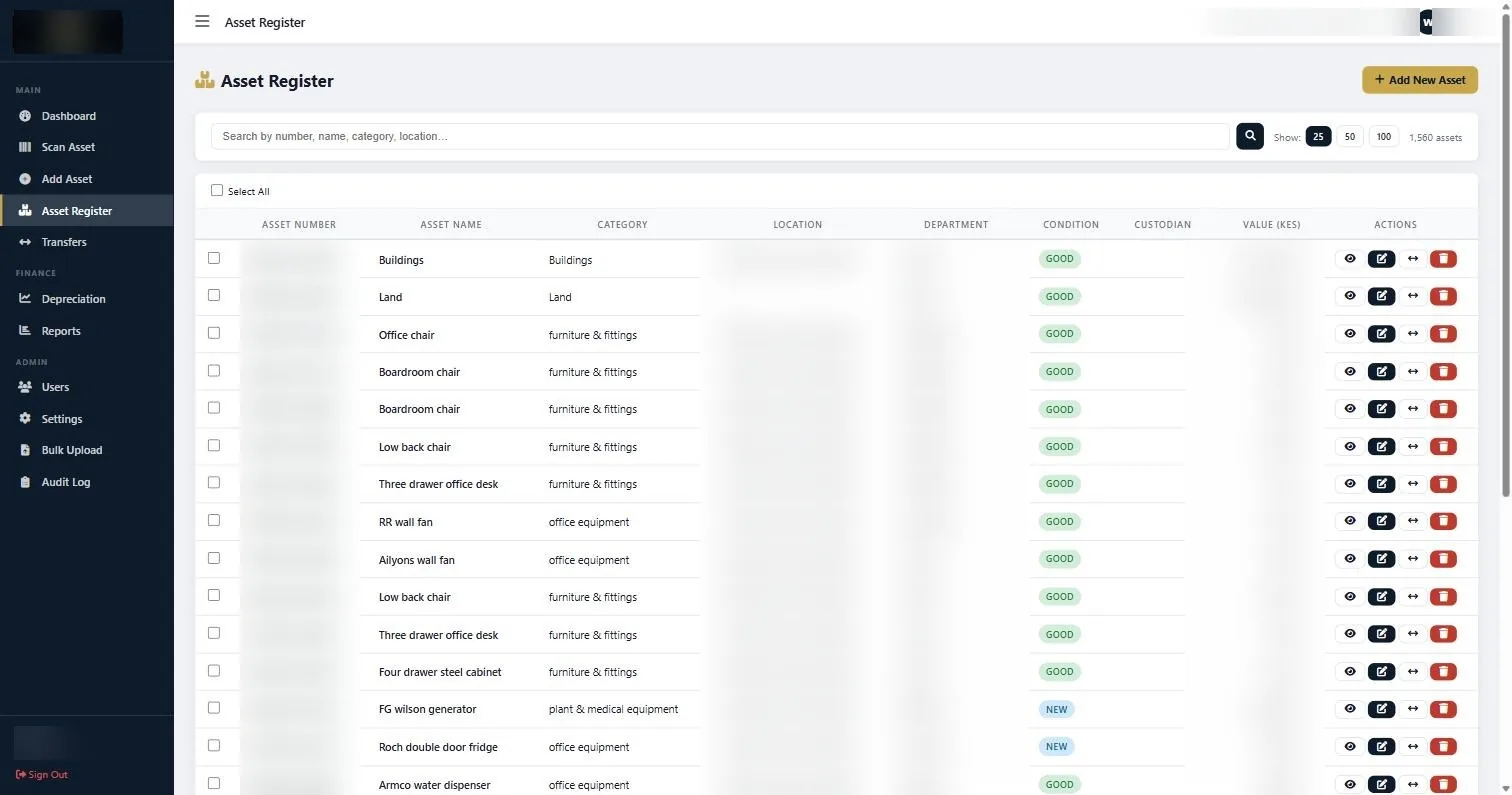
Assets are opened for editing from the Asset Register, where custodian, department and location are set. -
Assign custody at the point the asset is issued
The moment to record a custodian is when the asset is handed over, not at the next verification round. An asset issued in March and recorded in November has eight months where nobody was accountable and nobody knew it.
Build this into the issuing process. If stores hands over a laptop, stores updates the record before the person leaves the counter.
-
Use Transfers when custody changes
When an asset moves from one person, department or location to another, record it under Transfers rather than quietly editing the custodian field. A transfer is a movement with a history; an edit is a fact that silently replaces the previous fact.
The practical difference shows up when someone asks where a projector was in June. A transfer record answers that. An edited field does not.
-
Handle staff exits properly
Departure is where registers break. Before a leaver’s last day, run the custodian report for that person and physically collect or reassign every asset on it.
Make this part of the exit checklist alongside keys, access cards and email. If it is not on the checklist it will not happen, and the organisation will discover in eighteen months that four laptops left with people.
-
Give department heads their own list
Open Reports and run Assets by Custodian or Assets by Department. Export and send each head of department their list once or twice a year.
This does two things. It surfaces errors, because people correct a list about themselves far more readily than they respond to a request for information. And it makes accountability explicit, which is the entire point of recording custody.
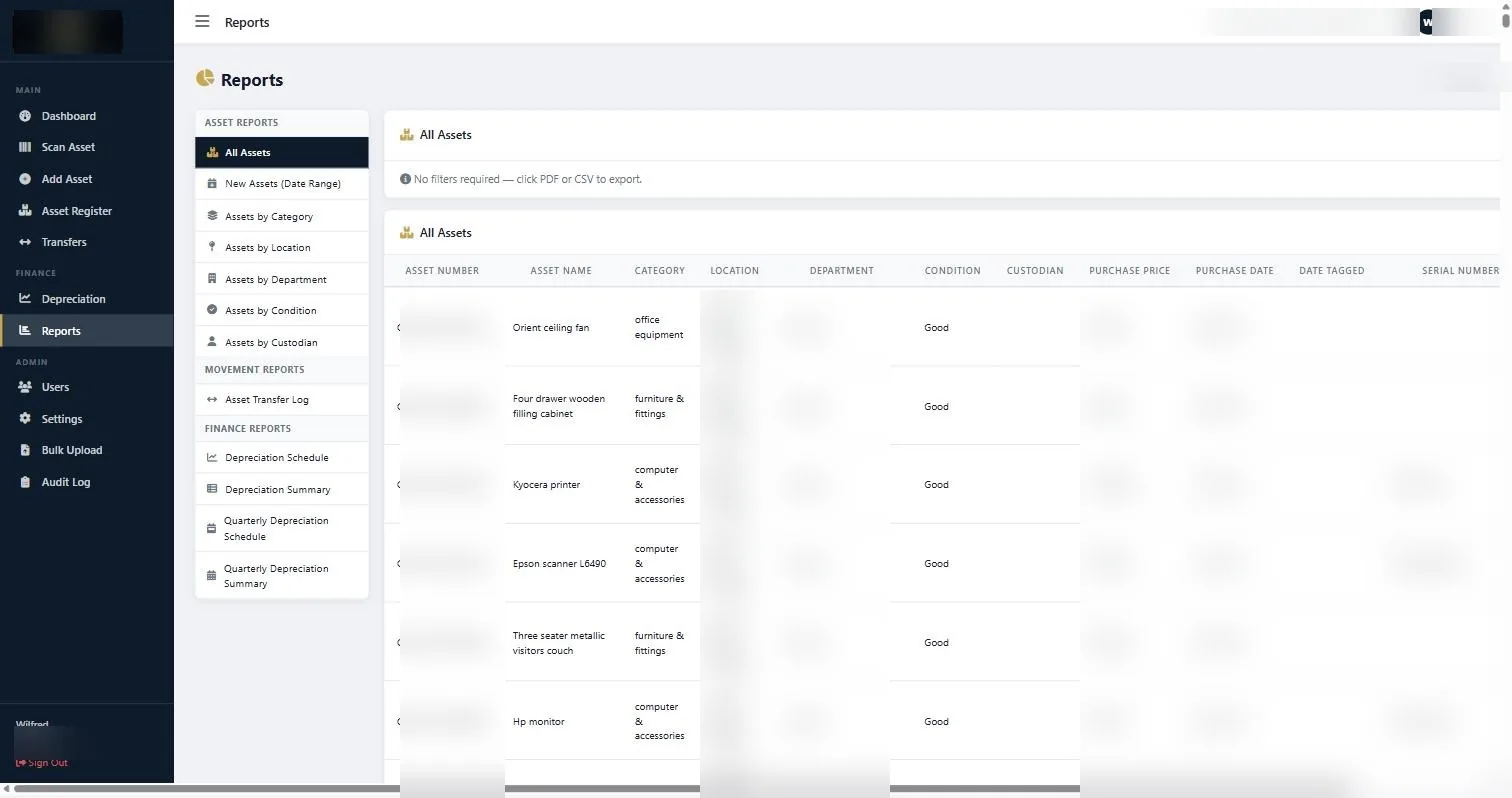
Assets by Custodian and Assets by Department, the two reports that turn custody into an accountability conversation.
If something does not look right
| What you are seeing | Why | What to do |
|---|---|---|
| Custodian is blank on most assets | Custody was never captured at issue, only at tagging. | Run Assets by Department, send each head their list, and ask them to name custodians. Correcting a list is easier than building one. |
| The custodian has left the organisation | The exit process did not include asset handover. | Reassign to whoever now holds the asset, or to the department head pending reissue. Then fix the exit checklist. |
| Custodian, department and location disagree | The asset moved and only one field was updated. | Use Transfers to record the movement properly, which keeps the three fields consistent and leaves a history. |
| Nobody will accept custody of a shared asset | No policy on departmental custody. | Assign a named person in the department as custodian of the shared pool. Shared responsibility with no name attached is no responsibility. |
Worth knowing
- Assign custody at issue, not at audit. Everything else is retrospective guesswork.
- Use Transfers rather than editing fields when an asset changes hands. History is the point.
- Put asset handover on the staff exit checklist, next to keys and access cards.
- Send department heads their asset list annually. It is the cheapest data cleaning exercise available.
Common questions about assign asset custodians
Should the custodian be the user or the manager?
The user, for assets one person controls. For shared assets, a named person in the department, usually whoever would notice first if it disappeared.
What happens when someone moves department?
Raise a transfer for every asset they keep, so both the custodian and the department are updated with a record of when it happened.
Can one person be custodian of hundreds of assets?
Yes, and in stores or workshops that is normal. What matters is that the list is accurate and the person has seen it.
Do we need a signed handover form?
The register is the record, but many organisations still ask the custodian to sign a printed list once a year. It costs nothing and it makes the accountability real to people.
What if an asset has no obvious custodian?
Assign it to the department head. An asset with no custodian is an asset nobody will report missing.
Does changing custodian affect depreciation?
No. Custody is an accountability field. Depreciation is driven by cost, date and category.
If you assign asset custodians only at the department level, expect to widen the search when something goes missing. Individual custody is more work to set up and much easier to enforce.
Related guides
Ready to get your assets under control?
Call us to discuss your organisation, or email your asset list and we’ll scope it for you.