
How to export the asset register and reports
How you export your asset register depends entirely on who is asking, because an auditor, an insurer and a finance manager each want a different cut of the same data. Exports are how the register leaves the system and enters a board pack, an audit file or a reconciliation. Which format you choose matters more than people think: CSV for anything you will work with, PDF for anything you are handing over. This guide covers both, and the report to pick for each audience.
Before you start
- Assets in the register. An export of an empty register is a fast way to discover the register is empty.
- A clear idea of who is going to read it. The report you pick follows the audience, not the other way round.
How to export your asset register, step by step
-
Open Reports and pick the report that matches the question
Go to Reports. The left panel is grouped, and the grouping is the fastest way to choose.
Asset Reports answer what we have and where: All Assets, New Assets by date range, and breakdowns by Category, Location, Department, Condition and Custodian.
Movement Reports answer what has moved: the Asset Transfer Log.
Finance Reports answer what it is worth: Depreciation Schedule and Summary, and their quarterly equivalents.
All Assets requires no filters and is the right starting point when somebody simply asks for the register.
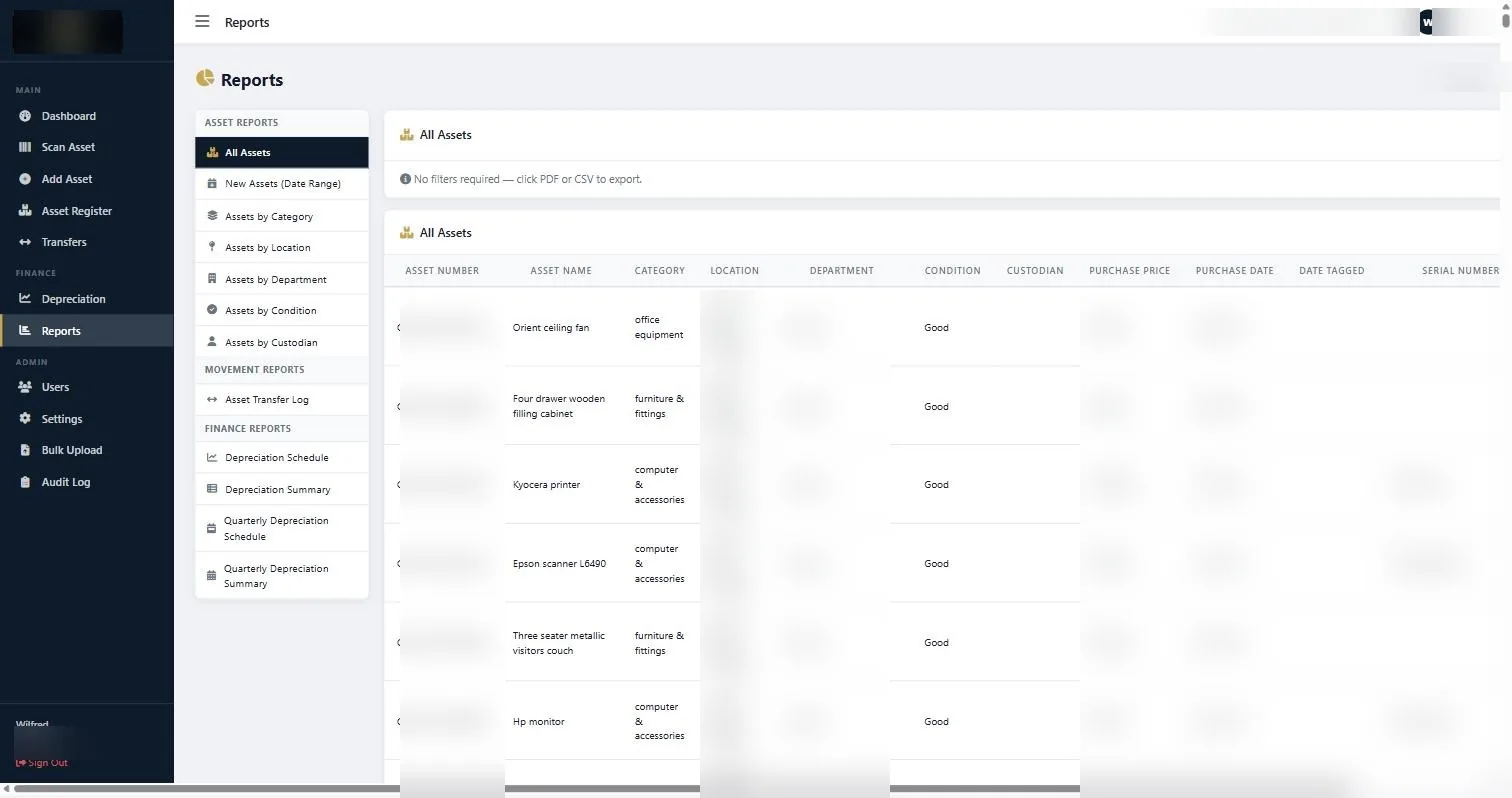
The Reports screen, grouped into Asset Reports, Movement Reports and Finance Reports, with PDF and CSV export. -
Choose CSV when the file will be worked on
Export to CSV when the recipient is going to sort, filter, pivot or reconcile. That covers finance reconciliations, data cleaning, department head reviews and anything feeding another system.
CSV opens in Excel, Google Sheets or LibreOffice. If you open it in Excel and long asset numbers appear in scientific notation, import the file rather than double clicking it, and set the asset number column to text. This is an Excel behaviour, not a system fault, and it catches everybody once.
-
Choose PDF when the file is a handover
Export to PDF when the file is going to an auditor, a board, a funder or an insurer. A PDF preserves the layout and cannot be quietly edited in transit, which matters when the document is evidence of a position at a point in time.
If both are wanted, send both, and say which one is authoritative.
-
Name the file properly before you send it
Include the organisation, the report type and the date the export was produced. All-Assets-2026-08-20.csv tells you everything six months later. report(3).csv tells you nothing at all.
This sounds like housekeeping and it is, but the most common cause of confusion during an audit is two exports of the same report produced weeks apart and indistinguishable by filename.
-
Match the report to the audience
External auditor: All Assets plus the Depreciation Schedule, both as PDF, with a CSV of All Assets so they can sample.
Board or management pack: Depreciation Summary, plus Assets by Category or Location if the question is about distribution.
Head of department: Assets by Department for that department, as CSV so they can annotate and send it back.
Insurer: All Assets with costs, as CSV, usually grouped by location because that is how cover is structured.
Internal reconciliation: All Assets as CSV, grouped by category to compare against the ledger.
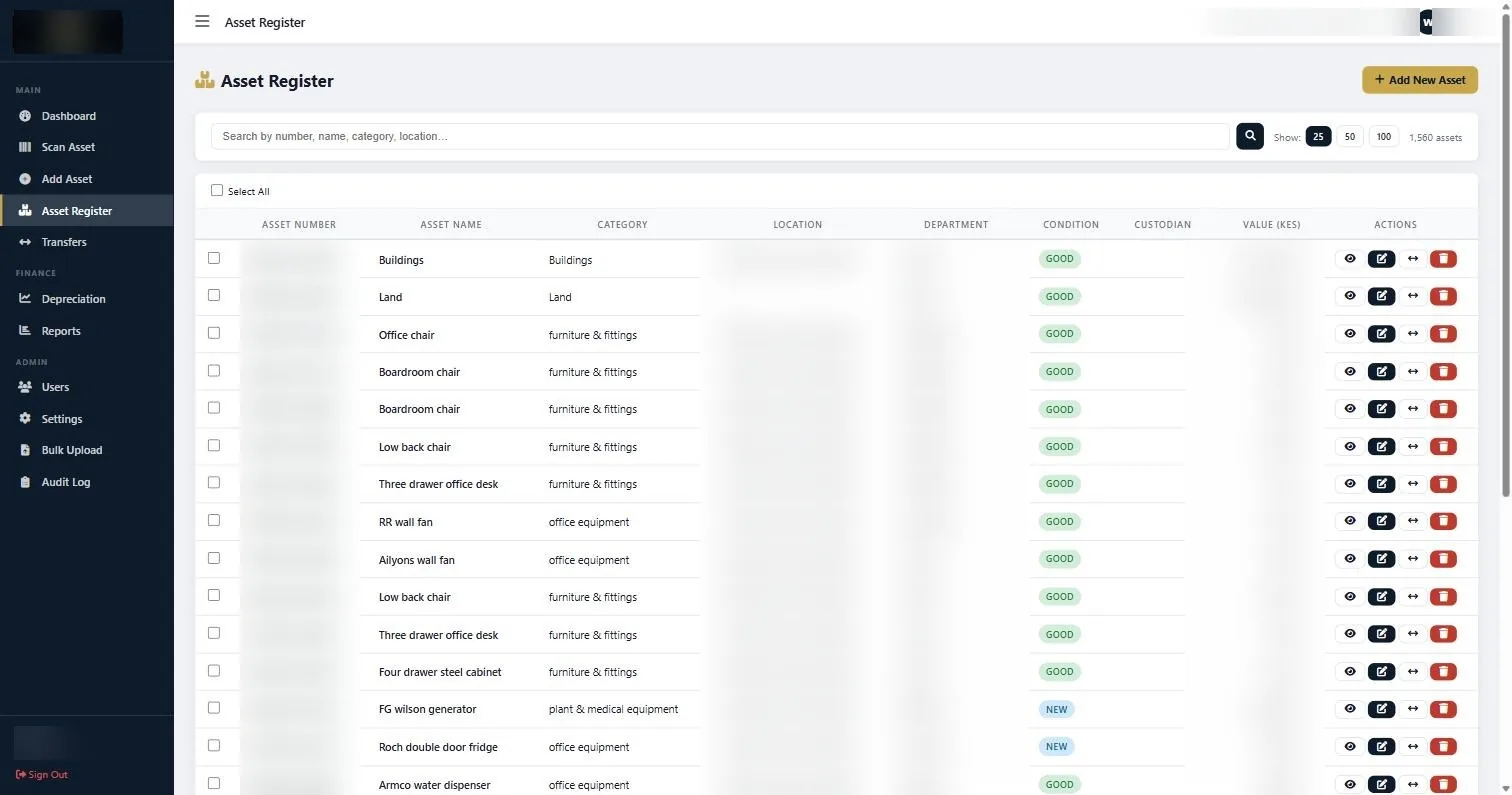
The Asset Register is the working view; Reports is where the register becomes a document somebody else can read. -
Keep a dated copy of period-end exports
At each period end, export the register and the depreciation schedule and file them with the period’s accounts. It costs two minutes and it gives you a defensible record of what the register said at that date, which is a question auditors ask and organisations frequently cannot answer.
If something does not look right
| What you are seeing | Why | What to do |
|---|---|---|
| Asset numbers appear as scientific notation in Excel | Excel is interpreting a long numeric asset number as a number. | Import the CSV rather than double clicking it, and set the asset number column to Text during import. |
| The export is missing assets you expected | A filter or date range is still applied, or the assets were never entered. | Run All Assets, which requires no filters, and compare the count against the dashboard total. |
| Accented or special characters look wrong in Excel | Character encoding on open. | Import the file and select UTF-8 encoding rather than double clicking. |
| Two exports of the same report disagree | They were produced at different times and the register changed in between. | Check the production date of each. This is exactly why exports should be dated in the filename. |
Worth knowing
- CSV for working, PDF for handing over. Send both when the recipient will do both.
- Put the report name and export date in the filename, every time.
- Export and file the register at each period end so you can prove what it said at that date.
- Give department heads a CSV rather than a PDF. People correct spreadsheets and ignore documents.
Common questions about export your asset register
Can I export only part of the register?
Yes. Use the report that already breaks the register down the way you need, by category, location, department, condition or custodian, and export that.
What is in the All Assets export?
The register columns: asset number, name, category, location, department, condition, custodian, purchase price, purchase date, date tagged and serial number.
Can exports be scheduled automatically?
Run them at period end as part of your close process. If automated delivery matters to your organisation, tell us what you need and when.
Is the export a backup?
No. It is a snapshot of a report, not a backup of the system. Treat it as evidence of a position, not as disaster recovery.
Can I give an auditor access instead of exports?
Yes, and it is usually better. A read-only account gives them the live register rather than a snapshot that ages during fieldwork.
Why does the export total differ from the ledger?
Almost always additions never entered, disposals never removed, or a category mismatch. Reconcile category by category rather than asset by asset.
If you export your asset register for an external party, send the PDF rather than the CSV. The PDF carries the date and the filter used, which makes the file self-describing months later.
Related guides
Ready to get your assets under control?
Call us to discuss your organisation, or email your asset list and we’ll scope it for you.