
Free fixed asset register template, and how to fill it in properly
A fixed asset register template is the fastest way to start, and the columns you choose on day one decide how much rework you face later. An Excel register with automatic depreciation, drop-downs and a self-updating summary. No email required. Plus an honest account of what a spreadsheet cannot do.
In this article
The fixed asset register template: the short version
- Free .xlsx download, no email required, works in Excel, LibreOffice and Google Sheets.
- Four sheets: instructions, register, editable lists, and a summary that totals by category.
- Depreciation calculates automatically on straight line or reducing balance.
- One row per asset. Bulk lines cannot be verified, depreciated or partially disposed of.
- A spreadsheet cannot prove assets exist, hold transfer history, or survive concurrent editing.
Download it
Fixed asset register template (Excel)
Four sheets: instructions, the register itself with 22 columns and drop-downs, a lists sheet you can edit, and a summary that totals by category automatically. Free, no email required, no sign-up.
It works in Excel, LibreOffice and Google Sheets. Nothing in it is locked and there are no macros.
What is in it
| Sheet | What it does |
|---|---|
| Read Me | How to use it, the rules worth following, and an honest note on what a spreadsheet cannot do |
| Asset Register | The register. 22 columns, 500 rows, drop-downs on category, condition, status and depreciation method, and one example row you delete |
| Lists | The drop-down values and default useful lives by category. Edit these to match your organisation |
| Summary | Asset count, cost, accumulated depreciation and net book value by category. Updates itself, and excludes disposals |
Yellow cells are the ones you type into. Everything else is a formula. Useful life is pulled automatically from the category you choose, and depreciation calculates on either straight line or reducing balance.
The columns, and why each one is there
Identity
Asset Number is yours and it must be unique. Use a scheme that encodes site and asset class, something like IT/LAP/0142 or THW/ELEC/BR/3013. It stays readable to a human and sortable in a spreadsheet. Serial Number is the manufacturer’s, and it is a separate field for a reason: you need your number for control and theirs for warranty, insurance and police reports.
Where and who
Location, Department and Custodian. These are the fields that go stale fastest, which is exactly why they matter. Never encode them in the asset number or print them on the tag, because the asset moves and the tag does not.
Money
Acquisition Date is when the asset became available for use, not the invoice date. Getting this wrong throws every subsequent year of depreciation off by the same offset. Acquisition Cost and Residual Value feed the calculation; residual is realistically nil for most office and IT equipment and is not for vehicles.
State
Condition and Status are what turn replacement from a reaction into a plan. Status also handles disposals: set it to Disposed, fill in the disposal columns, and leave the row in place. The summary excludes it automatically.
Physical
Tag Type records what is actually attached to the asset: self-adhesive, anodised aluminium, acetone-activated or polyester. Worth tracking, because when a tag fails you want to know whether the specification was wrong for that environment.
How to fill it in without wasting the effort
- Do not start from the ledger. Start by walking one area and writing down what you actually see. The ledger is your floor, not your list.
- One row per asset. No “office furniture, KSh 1.4m” lines. A bulk line cannot be verified, cannot be partially disposed of, and cannot be depreciated correctly.
- Number before you type. Design the scheme first. Renumbering 400 rows later is a bad afternoon.
- Fill custodian honestly. “IT department” is not a custodian. A person is.
- Record what you find, not what you expected. If the projector is in a storeroom rather than the boardroom, write the storeroom.
- Keep an exceptions list. Anything you cannot locate goes on it and gets resolved, rather than being quietly dropped.
The sequence that matters is covered in more detail in asset tagging and verification, and the categories people reliably miss are in which assets need tags.
Already have a register? We can verify and clean it
Send the existing register and approximate asset count. We will scope physical verification, reconciliation and missing-field clean-up. Request register clean-up →
What a spreadsheet cannot do, honestly
We are giving this away, so it is worth being straight about its limits rather than pretending it is a system.
- It cannot tell you whether the assets listed exist. That is what physical verification does. A register is a set of claims until somebody checks them.
- It has no audit trail. No record of who changed what, or when. If two people edit and disagree, there is nothing to appeal to.
- It does not store transfer history. There is a Custodian column, and when it changes the previous value is gone. You cannot answer who had an asset in March.
- Concurrent editing breaks it. Two people, two copies, two versions of the truth by Friday.
- Nothing connects a row to a physical object unless the asset carries a tag with the asset number on it.
Under about 100 assets, in one place, maintained by one person, none of that will hurt you. Above it, or with multiple sites or editors, each limit turns into a specific recurring cost. That is the honest boundary, and it is covered further in asset management software vs spreadsheets.
What to do after you have filled it in
A completed register is useful. A completed, verified, tagged register is a different thing entirely, because every line can be proved in seconds rather than argued about.
If you want to take it further:
- Verify it physically before you rely on it for insurance, audit or a funder.
- Tag the assets so the next verification takes hours instead of days. The four tag types and where each belongs are on the asset tags page.
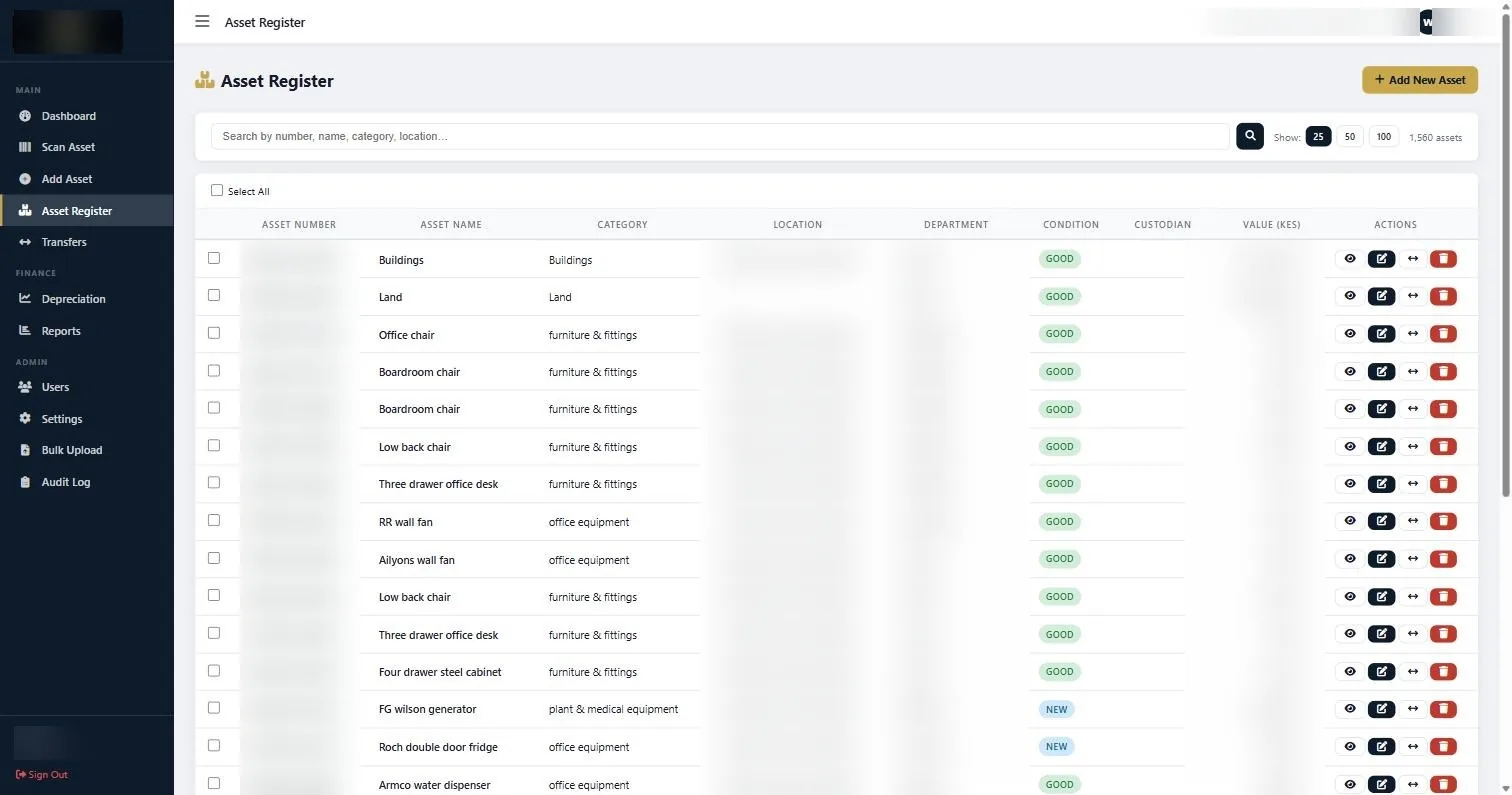
- Move it into a system once concurrent editing or transfer history starts costing you. Our asset management system imports a register like this through Bulk Upload.
Or send it to us and we will scope the verification and tagging against it. Rates are published on the pricing page.
The default useful lives on the Lists sheet are illustrative starting points, not guidance. Set them from your own replacement history and confirm accounting and tax treatment with your accountant. This template is provided as is.
Common questions about fixed asset register template
Is the fixed asset register template really free?
Yes. Download it directly, no email address and no sign-up. It is an ordinary .xlsx file with no macros and nothing locked, so you can change anything in it.
Does it work in Google Sheets and LibreOffice?
Yes. It uses standard formulas and data validation, both of which import cleanly. Formatting may shift slightly in Google Sheets but the calculations work.
What should a fixed asset register include?
At minimum: a unique asset number, description, serial number, category, acquisition date, cost, location, department, custodian, condition and status. Anything you would need to answer an auditor, an insurer, or a replacement decision.
How does the depreciation calculation work?
Useful life is pulled from the category you select, then depreciation is calculated on either straight line or reducing balance depending on the method you choose per asset. Years held is computed from the acquisition date, or the disposal date if one is set.
How many assets can it handle?
It is set up for 500 rows and will work well up to about 100 assets in practice. The limit is not the row count but concurrent editing, transfer history and physical verification, none of which a spreadsheet does.
Can I import this into your asset management system later?
Yes, through Bulk Upload. We would normally verify the register physically before importing, because importing inaccurate data produces an inaccurate system rather than fixing anything.
Fill a fixed asset register template in the order the columns appear, not asset by asset across the sheet. Working column by column keeps the categories consistent, and consistency is what makes the register searchable later.
Continue with the right next guide
Already have a register? We can verify and clean it
Send the existing register and approximate asset count. We will scope physical verification, reconciliation and missing-field clean-up.