
How to run a physical asset verification by scanning
To conduct an asset audit well you plan it by location, scan what you find, and deal with the exceptions properly rather than quietly overwriting them. A physical verification answers one question: does what the register says exist actually exist, where it says it is. Scanning turns that from a week of clipboard work into a day of walking. This guide covers how to plan the round, how to use the scan screen, and what to do with the exceptions, which are the entire point of the exercise.
Before you start
- Assets already tagged and in the register. Verification confirms a register; it does not create one.
- A barcode scanner, USB or bluetooth. Any scanner that behaves as a keyboard will work.
- A device with a browser and access to the system. A laptop on a trolley is more comfortable than a phone for a long round.
- An agreed route. Verify by location, one room at a time, in a fixed order. Wandering produces double counting.
How to conduct an asset audit, step by step
-
Plan the round by location, not by list
Print or export the asset list for the location you are about to verify, then work through the room physically rather than working down the list. The distinction matters. Working down a list means you find the assets you expected and never notice the ones you did not.
Tell the department beforehand. Verification in an occupied office goes far faster when people are expecting you, and far slower when they are not.
-
Open Scan Asset
Under Main, click Scan Asset. The screen shows a single capture field, ready for input. Point the scanner at the barcode on the asset tag and the field fills automatically. Click Look Up, or let the scanner’s carriage return trigger it.
The record for that asset comes back on screen: what it is, where the register thinks it is, who holds it and what condition it was last recorded in.
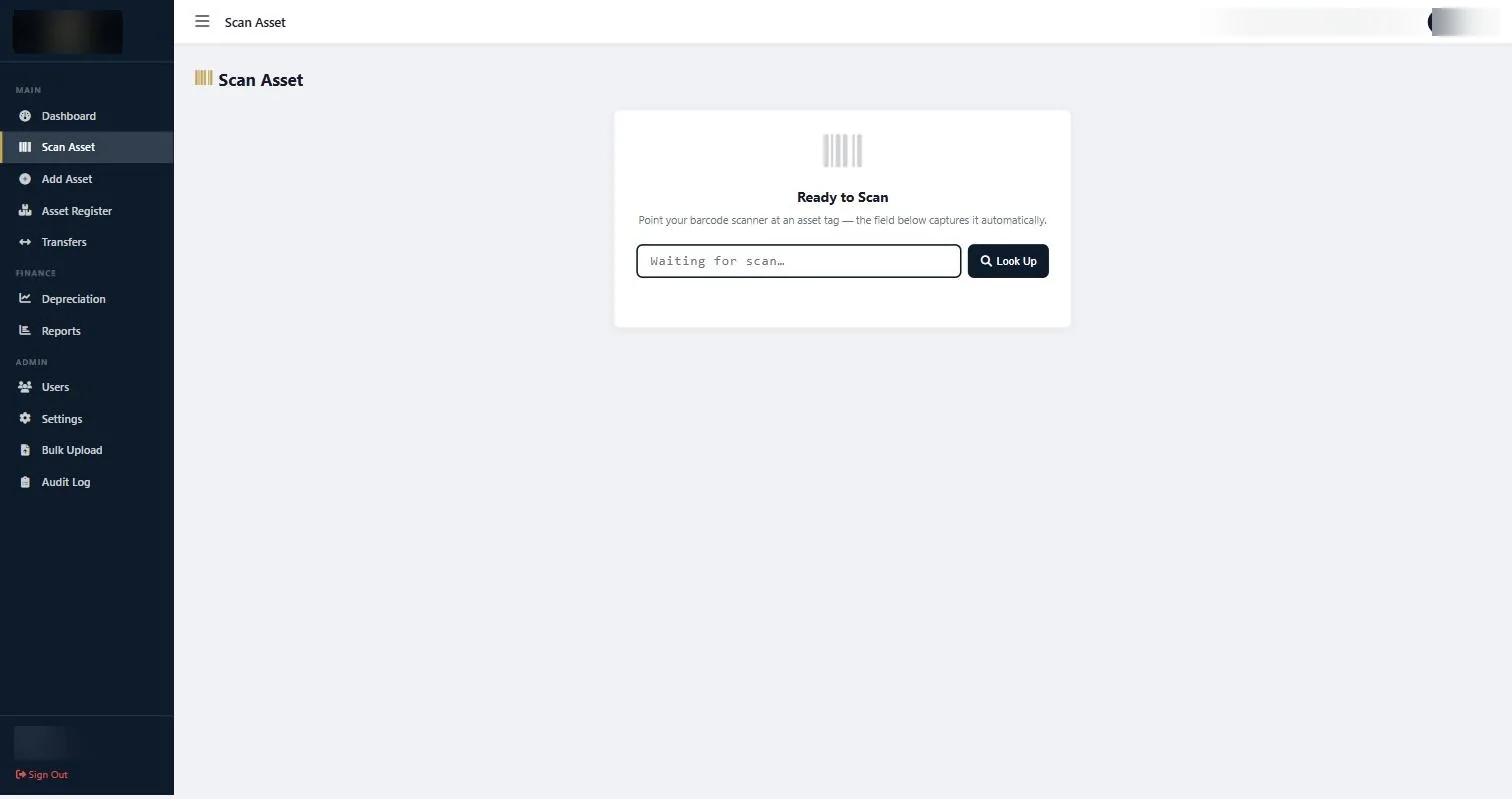
The Scan Asset screen. The capture field takes input directly from a barcode scanner; the asset number can also be typed. -
Compare what is on screen against what is in front of you
Three things to check, in this order.
Is it here? The asset scanned, so it exists. If the register says it is in a different location, that is a movement nobody recorded.
Is it the same item? Check the serial number on the rating plate against the record. Tags do occasionally get fitted to the wrong asset, and a tag on the wrong item is worse than no tag.
Is the condition still right? An asset recorded as Good two years ago may not be Good now. Update it while you are standing in front of it.
-
Record the exceptions as you go
Four kinds of exception come out of a verification round, and each needs a different action.
Found, wrong location. Update the location, or raise a transfer if it is meant to move back. This is the most common finding by a wide margin.
Found, not in the register. An untagged asset. Note it, tag it, and add it. These are usually recent purchases that were never entered.
In the register, not found. Do not write it off on the spot. Mark it for follow up. A high proportion turn up in another department, in a store, or with a member of staff who took it home during a move.
Tag damaged or missing. Identify the asset by serial number, re-tag it, and record the new tag against the existing record. Do not create a new record.
-
Finish the location before you move on
Close out one room completely before starting the next. Half-verified locations are the reason verification exercises drift into a second week.
-
Produce the exception report and act on it
When the round is complete, open Reports and run the asset reports for the location, condition and custodian views. Export them and build your exception list from the differences.
The exception list is the deliverable, not the scan count. A verification that finds nothing and changes nothing has not verified anything, it has just confirmed that the labels are readable.
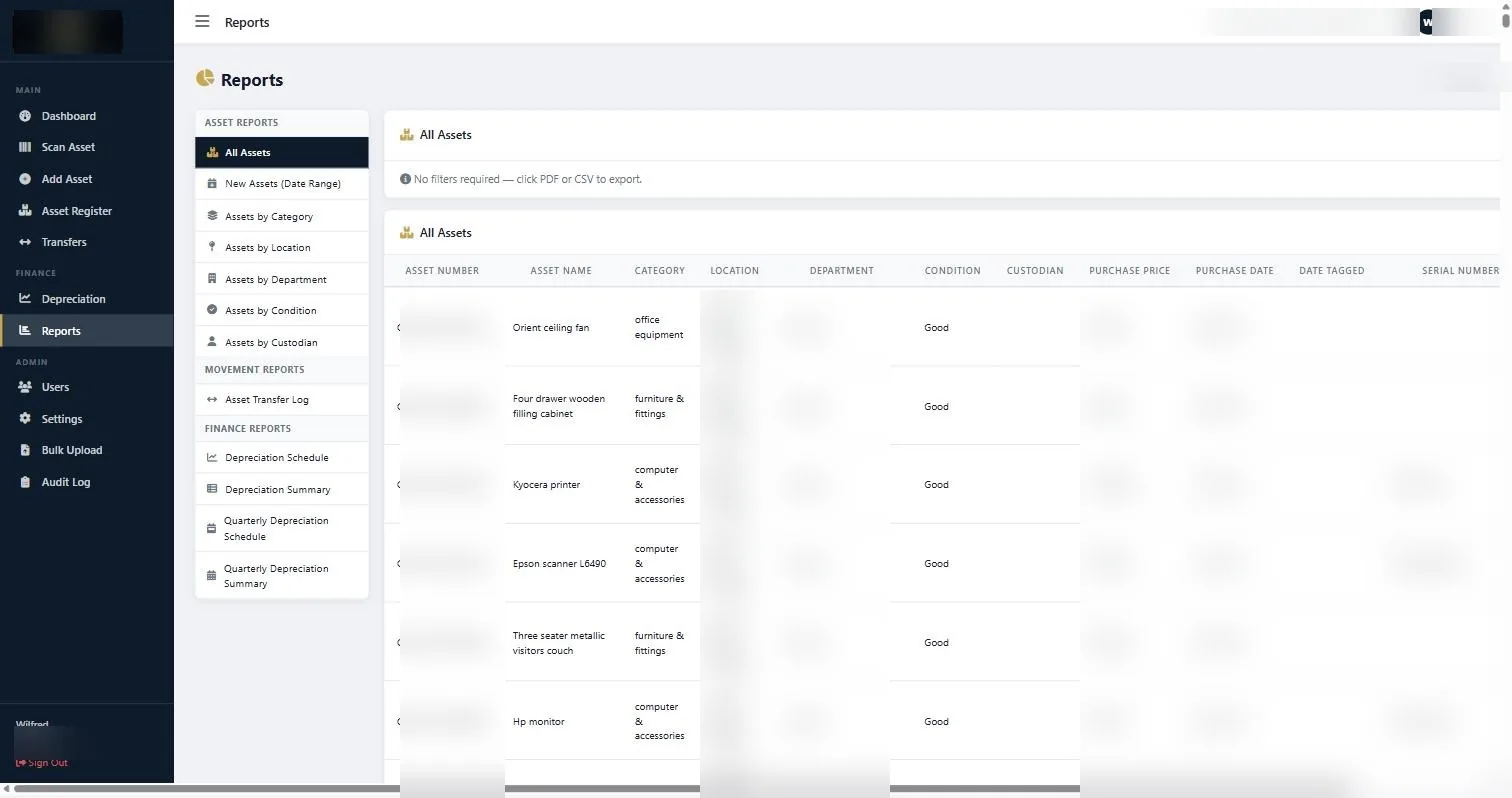
Asset reports by location, condition and custodian, which together produce the exception list after a verification round. -
Set the date for the next round
Annually is the minimum for most organisations, and it usually needs to align with your financial year end so the verified position supports the accounts. High-movement environments, particularly IT equipment and anything on a construction site, need it more often.
If something does not look right
| What you are seeing | Why | What to do |
|---|---|---|
| The scanner types nothing into the field | The scanner is not in keyboard mode, or the field does not have focus. | Click into the capture field first. If it still does nothing, test the scanner in a text editor to confirm it is emitting keystrokes. |
| A scan returns no record | The tag belongs to an asset that was never entered, or the number was mis-keyed at entry. | Search the register by serial number. If nothing matches, treat it as an untagged asset and add it. |
| The same asset scans twice | Two tags on one item, usually a re-tag where the old tag was never removed. | Remove the redundant tag physically and make sure only one live record exists. |
| Counts do not reconcile at the end | Usually a location that was partially verified, or double counting from an unplanned route. | Re-verify the location that looks light. This is why closing out one room at a time matters. |
Worth knowing
- Verify by location, always. Verifying by list is how missing assets stay missing.
- Update condition while you are in front of the asset. It will not be remembered accurately an hour later.
- Never write off a missing asset during the round. Mark it and follow up; most reappear.
- Time the round to your financial year end so the verified position supports the audited accounts.
Common questions about conduct an asset audit
How often should we verify?
Annually at minimum, timed to your year end. IT equipment, tools and anything on a site with high staff turnover justify twice a year.
Do we need a special scanner?
No. Any barcode scanner that behaves as a keyboard will work, USB or bluetooth. If your tags are QR rather than barcode, a phone camera can read them, though a dedicated scanner is faster over hundreds of assets.
Can two people verify at the same time?
Yes, in different locations. Two people verifying the same location at the same time is how double counting happens.
What if a tag has fallen off?
Identify the asset by serial number, fit a new tag, and record the new number against the existing record. Creating a new record duplicates the asset.
How long does verification take?
With tagged assets and a scanner, a few hundred assets in a day is comfortable. Untagged assets are far slower, because identification becomes a research exercise rather than a scan.
Does the system keep a history of verifications?
Changes made to records are captured in the Audit Log, which is what lets you show an auditor when a location or condition was last confirmed and by whom.
If you have never done one, conduct an asset audit on a single floor or department first. A small round finishes, produces a real exception list and tells you how long the full estate will take.
Related guides
Ready to get your assets under control?
Call us to discuss your organisation, or email your asset list and we’ll scope it for you.