
Getting started with the asset management system: a walkthrough
Getting started with asset management software goes wrong in one predictable way, which is loading every asset before anybody has agreed what a category means. What each screen does, the three fields people fill in casually and regret, and a first-month routine that gets the register into a state worth keeping.
In this article
Getting started with asset management software: the short version
- Verify the register before importing it. The system formats data, it does not fix it.
- Bulk Upload once at the start; Add Asset for everything after.
- Asset number, acquisition date and custodian are the fields people regret filling in casually.
- Scanning is what turns a physical verification from a day into an hour.
- Logging transfers is the habit that decides whether the register stays true.
Before you log in
The system is only as useful as what goes into it, so one thing has to happen first: you need a register you believe.
If you are importing an existing spreadsheet that has never been physically verified, you will end up with a well-formatted version of whatever was wrong before. Assets that no longer exist will still be there, attracting depreciation. Equipment in daily use will still be missing.
Verify first, then import. That sequence is covered in asset tagging and verification, and it is the single biggest determinant of whether an implementation is worth anything.
The dashboard
Logging in puts you on the dashboard. It answers the questions people actually ask before they ask them: how many assets, what did they cost, what are they worth now, and how are they distributed.
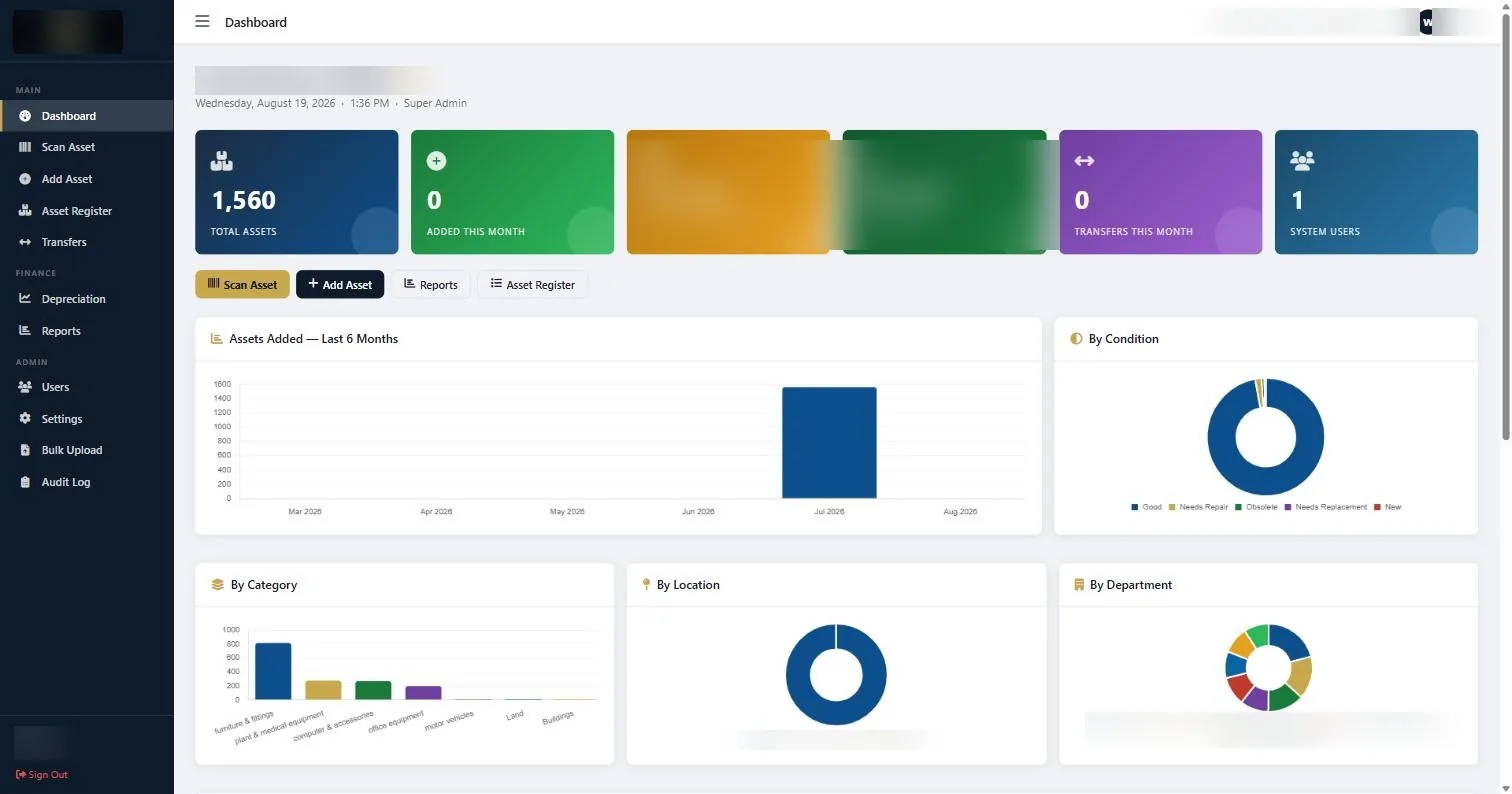
The charts are worth a moment. Breakdown by condition is the one most people ignore and the one that drives replacement planning, because it turns “we keep having to buy laptops” into a visible curve.
The buttons under the totals go straight to the four things you will do most: Scan Asset, Add Asset, Reports, Asset Register.
Getting your assets in
Option one: Bulk Upload
If you already have a register, this is the fastest route. Prepare the file so it matches the field list, upload it, and the assets appear. Do this once, at the start, with verified data.
Option two: Add Asset
For anything acquired afterwards. The form captures nineteen fields per asset.
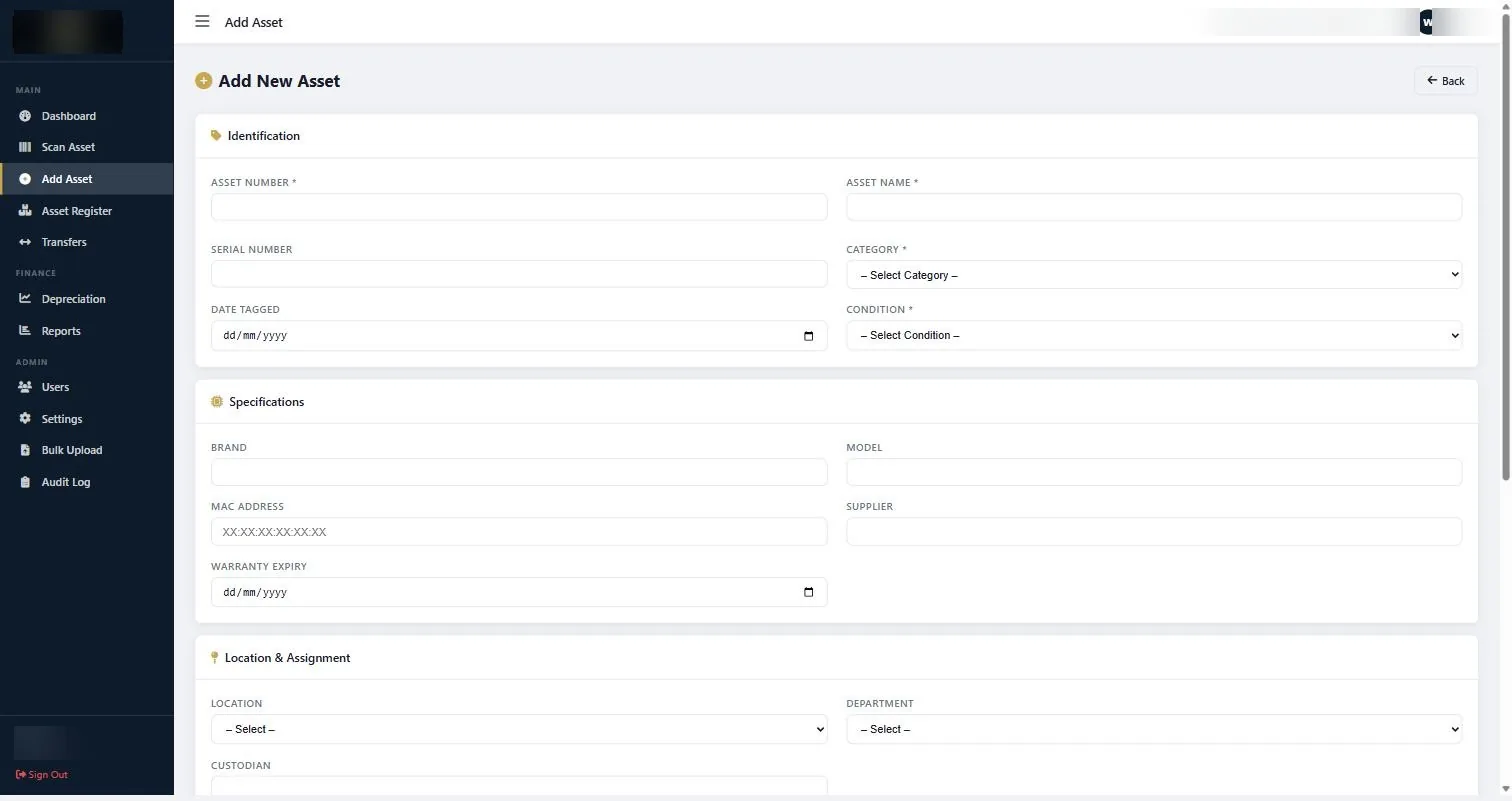
Three fields deserve attention because they are the ones people fill in casually and regret later:
- Asset Number. Your scheme, not the manufacturer’s serial. Something readable and structured like IT/LAP/0142.
- Acquisition Date. The date it became available for use. Not the invoice date.
- Custodian. A person. “Finance” is not a custodian.
Attach a photograph where it helps. For anything with an unusual configuration or a serial number in an awkward place, it saves a trip later.
Working the register
The Asset Register is the list. Searchable, paginated at 25, 50 or 100 rows, showing asset number, name, category, location, department, condition, custodian and value together.
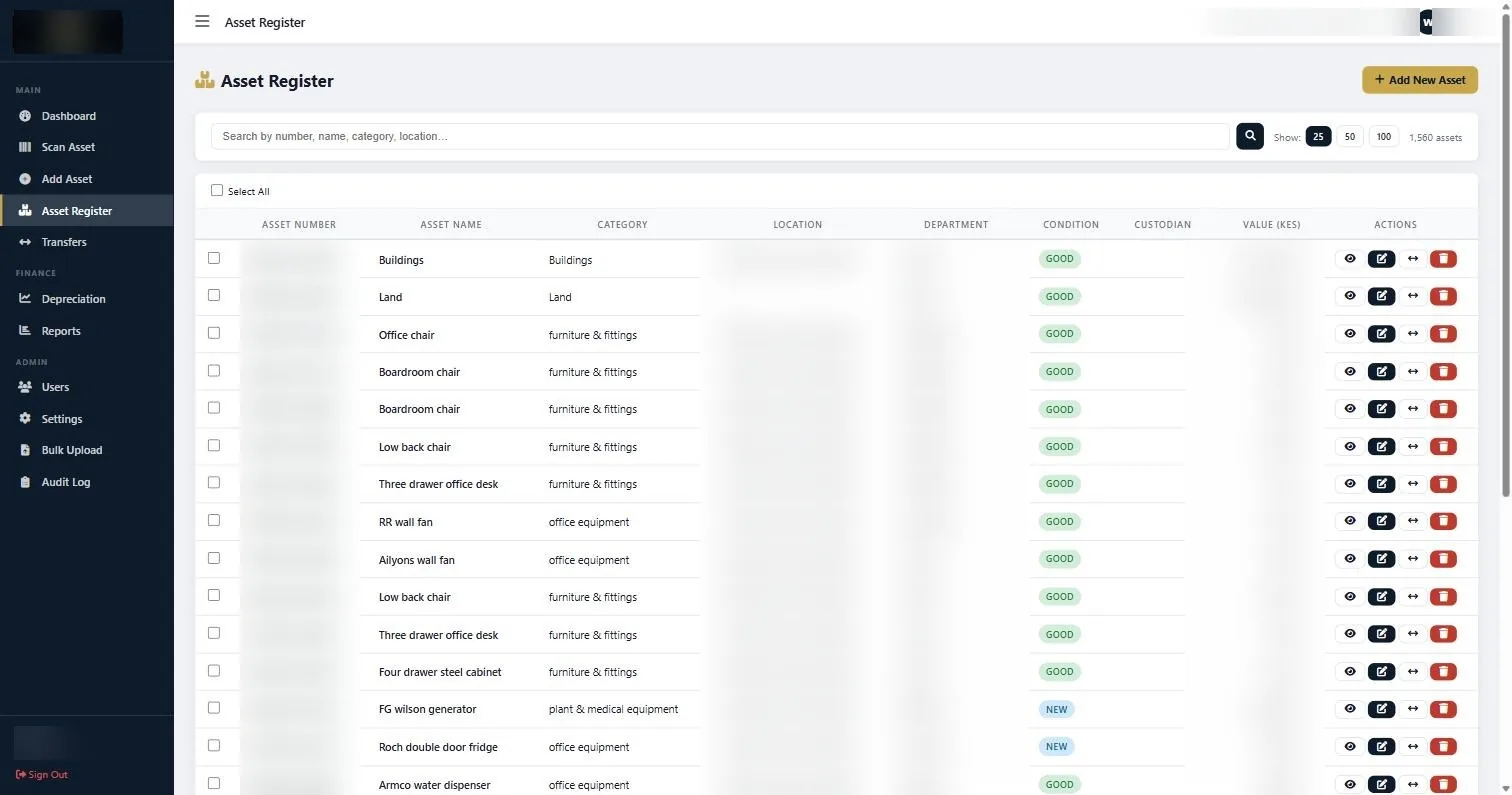
This is where most day-to-day questions get answered. Somebody asks who has a particular laptop, or what the finance department holds, or how many items are marked as needing repair. Search, filter, done.
Scanning, which is the point of the tags
Open Scan Asset, point a barcode reader at a tag, and the field captures the code automatically and pulls up the record. Print or export it from the same screen.
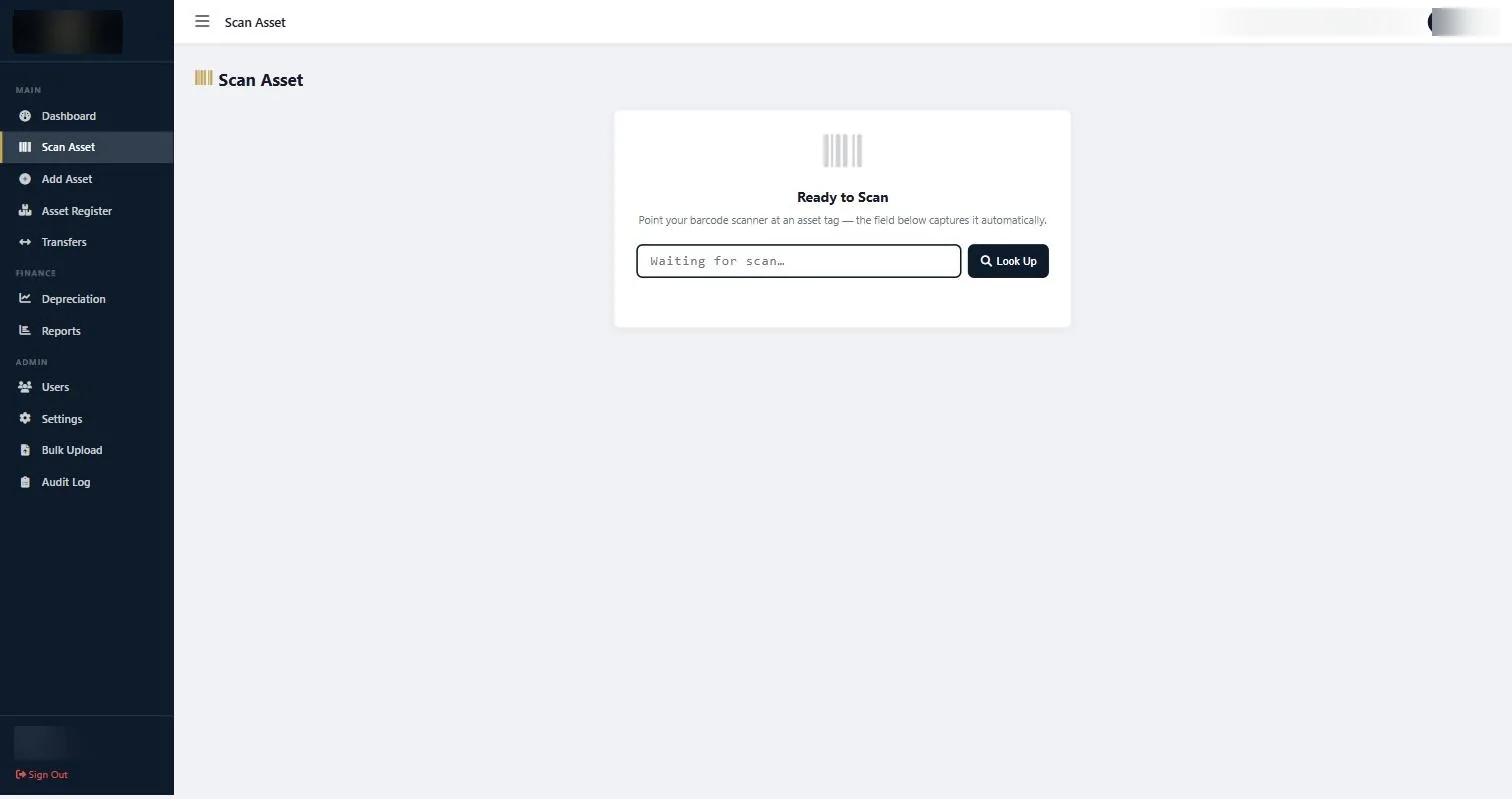
This is what turns verification from a day into an hour. Walk a department, scan each tag, note what does not match. The output is a list of exceptions rather than an opinion.
It is also the answer to an auditor picking a line from the register and asking you to produce it.
See the asset management system in action
Book a focused demonstration using your own workflow questions, including registers, custodians, transfers, audits and depreciation. Book an AMS demo →
Transfers, and why to bother
When an asset moves between locations, departments or custodians, record the transfer. It takes seconds and it is logged with a date.
This is the habit that decides whether the register stays true. Most drift is not theft or loss; it is movement nobody wrote down. A laptop reassigned after a leaver, a projector borrowed for a conference and never returned to the boardroom.
Two things make it stick in practice: attaching the scan to the offboarding checklist, and making the asset number, not a description, the thing people refer to.
Reports
Twelve report types, exporting to CSV or PDF.
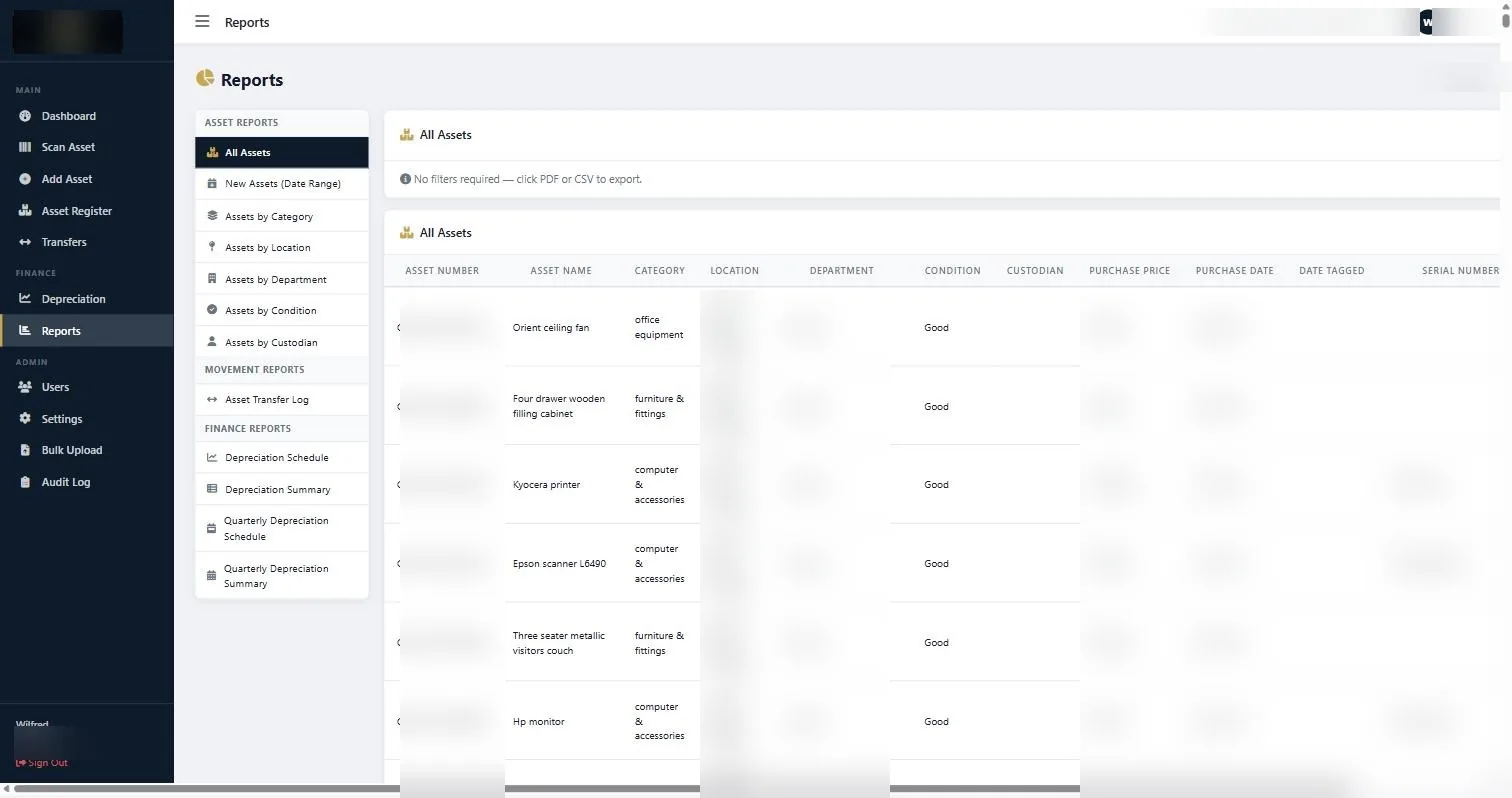
| Category | Reports | Who usually wants it |
|---|---|---|
| Asset | All assets; new assets by date range; by category, location, department, condition, custodian | Operations, department heads, insurers |
| Movement | Asset transfer log | Audit, internal control |
| Finance | Depreciation schedule and summary, quarterly schedule and summary | Finance, auditors |
Being able to hand an auditor a depreciation schedule as a PDF, generated from a register where every line ties to a scannable tag, is the point of the whole exercise. The wider context is in the fixed asset audit checklist.
A first-month routine that works
- Week one: import the verified register through Bulk Upload. Check the totals against your ledger before going further.
- Week two: give accounts to the people who actually encounter assets, not just finance. Department heads, store keepers, branch managers. There is no per-user cost, so there is no reason to ration it.
- Week three: run one department verification with a scanner. This is the trial run, and it will surface anything the import got wrong.
- Week four: agree who logs transfers and when. Attach it to an existing process rather than inventing a new one.
- End of the quarter: pull the depreciation schedule and the transfer log. If both look right, the system is doing its job.
Full details of what the system covers are on the asset management system page, and pricing is published on the pricing page.
Common questions about getting started with asset management software
How do I get my existing asset register into the system?
Through Bulk Upload. Prepare the file to match the field list and import it once at the start. Verify the register physically first, because importing inaccurate data produces an inaccurate system rather than fixing anything.
Do I need a special scanner?
A standard barcode scanner. The Scan Asset screen captures the code automatically when the reader sends it, then opens the matching asset record. No specialised hardware beyond the reader.
How many people can use the system?
Unlimited staff accounts. The licence is one-time rather than per user, which is deliberate: the people who keep a register current are not only finance, and rationing access is how registers go stale.
What reports does it produce?
Twelve types across three groups: asset reports (all assets, new assets by date range, by category, location, department, condition and custodian), a transfer log, and finance reports including depreciation schedules and quarterly summaries. All export to CSV or PDF.
Can I attach photographs to assets?
Yes. The Add Asset form takes a photograph alongside the other fields, which is useful for anything with an unusual configuration or a serial number in an awkward place.
How long does it take to learn?
An afternoon for the software itself. The real timeline is the verification and tagging exercise that produces trustworthy data to put in it, which depends on your asset count and number of sites.
If you are getting started with asset management software this month, do one department first and finish it completely. A single finished department teaches you more about your own data than a half-loaded estate ever will.
Continue with the right next guide
See the asset management system in action
Book a focused demonstration using your own workflow questions, including registers, custodians, transfers, audits and depreciation.